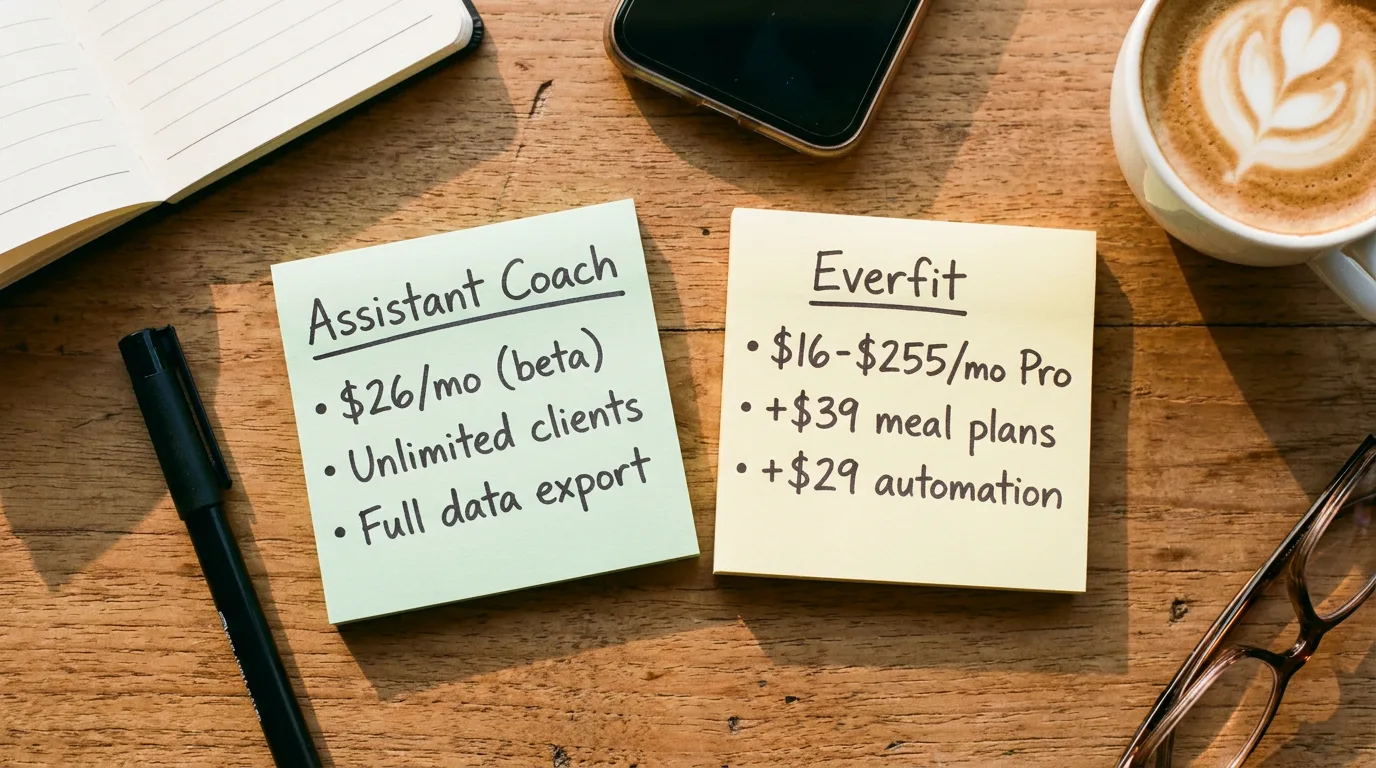
Everfit’s pricing page leads with a forever-free tier and a Pro plan starting at $16/month. Read the add-ons section and you find meal plans, automation, payments, and on-demand workout collections are all paid extras that can stack to over $100/month on top of the base plan. If you are evaluating Everfit against Assistant Coach (a newer alternative we build, currently in public beta), the comparison that matters is what you actually pay once your real coaching stack is turned on, what each platform can do for the coaching workflow, and whether you can ever leave with your client data.
Here is what this guide breaks down:
- Real pricing at every roster size, with Everfit’s add-on stack made explicit
- A feature-by-feature comparison across 16 categories including AI, nutrition, check-ins, data export, and the coach-side workflow
- Where each platform actually wins - strengths and gaps for both Everfit and Assistant Coach
- The data portability question and what you can take with you if you leave
- A simple decision framework to match a platform to your coaching business
Everfit vs Assistant Coach: The 2026 Summary
Before the deep dive, here is the short version. Each platform optimizes for a different kind of coach.
| Platform | Pricing Model | Starts At | Best For | Watch Out For |
|---|---|---|---|---|
| Assistant Coach | Flat tiers, unlimited clients on every paid plan | Free for 5 clients (every core feature) / ~$22/mo unlimited (beta annual) | Coaches who want every core workflow included - structured check-ins, workout logger with inline video review, meal and workout plan builders, goals, notes, lead capture, data export - at a price that does not move as the roster grows | Newer brand; no in-app messaging, integrated payments, or wearables yet |
| Everfit | Sliding Pro/Studio tiers + paid add-ons | Free for 5 clients / $16/mo Pro (5 clients, annual) | Coaches who need broad wearables integrations (Apple Health, Fitbit, Garmin, Oura) and built-in messaging including group chat from Studio | Meal plans, automation, payments, and on-demand workout collections are all paid add-ons; basic check-ins; no documented full data export |
What Everfit Actually Costs in 2026
Everfit publishes a sliding price across four tiers. Pro runs from about $16/month (5 clients) to $242/month (300 clients) on annual billing, or $19 to $290 monthly. Studio runs from about $88 to $358/month annual (50-500 clients). The catch is that several features coaches treat as core - meal plans, automation, payments, on-demand workout collections - are paid add-ons.
Below is the real cost at common roster sizes against Assistant Coach during beta. The Everfit column shows the Pro tier base price plus the two add-ons most coaches actually want (Meal Plans + Autoflow), all annual billing.
| Clients | Everfit (Pro + meal plans + autoflow) | Assistant Coach (beta, billed annually) |
|---|---|---|
| 5 clients | Free (Starter - meal plans, forms, macros gated) | Free (every core feature) |
| 20 clients | $41 + $33 + $24 = $98/mo (Pro + add-ons) | ~$22/mo (Starter) |
| 35 clients | $63 + $33 + $24 = $120/mo | ~$22/mo (Starter) |
| 50 clients | $79 + $33 + $24 = $136/mo | ~$22/mo |
| 100 clients | $117 + $33 + $24 = $174/mo | ~$22/mo |
| 200 clients | $183 + $33 + $24 = $240/mo | ~$22/mo |
Beta pricing: Assistant Coach paid plans during beta start at £16.50/month when billed annually (about $22/month) or £19.50/month when billed monthly (about $26/month). Starter includes 100 assistant actions/mo. Pro is £29.50/mo annual / £34.50/mo monthly (about $40/$46) with 500 assistant actions. The free plan covers 5 clients with every core feature included, free forever (15 assistant actions/mo). All paid plans during beta lock in 50% off the standard price for life (standard is £39/month Starter, £69/month Pro).
At 50 clients, Everfit Pro plus the Meal Plans and Autoflow add-ons lands around $136/month vs about $22 on Assistant Coach Starter annual beta billing - still roughly $1,350/year of gap. At 100 clients the gap widens to about $1,800/year. Add Payments & Packages ($8-$9/mo) and On-Demand Collections ($21-$25/mo) and the Everfit add-on stack alone reaches around $86-$102/month before the per-client base. For the broader landscape, see our real cost breakdown across 10 platforms and the hidden fees buyers miss.
Feature-by-Feature: How Everfit and Assistant Coach Compare
Price is only useful once you know what is included. Here is how the two platforms line up across the features a working online fitness coach or personal trainer actually uses.
| Feature | Everfit | Assistant Coach |
|---|---|---|
| Workout programming | Yes (1,000+ video library) | Yes (spreadsheet-style session builder: sets/reps/rest, form notes, supersets & circuits, every session side by side) |
| Exercise demo videos (your own) | Yes (upload or YouTube link) | Yes (upload or YouTube link; clients tap "Watch demo") |
| Nutrition plans (built-in) | Basic macros + food journal; full meal plans +$33-$39/mo add-on | Yes (full meal plan builder), plus client meal-photo logging with an AI coach-draft: plan-deviation read, macro estimates, and per-ingredient breakdown, all coach-reviewed |
| Check-ins (custom forms) | Yes (basic) | Yes |
| Full data export | No (no documented self-service export) | Structured ZIP (JSON + client CSV) |
| AI check-in analysis | No | Yes |
| AI draft responses | No | Yes |
| AI multi-month trend summaries | No | Yes |
| AI workout plan coverage analysis | No | Yes |
| Connect ChatGPT / Claude to your data | No | Yes |
| AI workout builder | Yes (text to workout) | No (template builder, not generative) |
| Goals tracking | Habit tracking | Structured goals + notes + adherence |
| Workout logger (client-side) | Yes | Yes (offline sync) |
| Exercise video upload + inline coach review | Chat / check-in attachments | Yes (pinned to the exercise) |
| Coach website + lead form | Marketplace (lead source) only | Full website + leads inbox |
| Voice and video messages to clients | Voice notes and webcam video in the inbox | Voice or video on each check-in reply, as many as you like |
| In-app messaging (1:1 + group) | Yes (group chat from Studio) | Not yet |
| Automation workflows | Autoflow +$24-$29/mo add-on | Todos + recurring forms |
| Integrated payments | Payments & Packages +$8-$9/mo add-on | Not yet |
| Wearables integrations | Apple Health, Fitbit, Garmin, Oura, Google Fit | Not yet |
Where Each Platform Actually Wins
Cost matters, but fit matters more.
Assistant Coach: the full coaching stack at a flat price
Strengths:
- Every core workflow built in at every tier including free: structured check-ins, meal plan builder, workout plan builder, structured goals, client notes and todos, coach website with lead capture, and full data export
- Workout logger with inline video review pinned to each set - no hunting through chat threads to find the squat clip from Tuesday
- Voice or video messages on every check-in reply, as many as you like, attached to the check-in it’s about, next to the client’s answers and photos
- AI woven into the workflow: AI draft responses in your voice on every check-in, multi-month trend analysis per client, AI workout plan coverage analysis (body-region coverage, split balance, gaps, redundancy before you activate a plan), plus plug ChatGPT or Claude directly into your coaching data
- Branded client app your clients can install, plus branded meal and workout plan PDFs
- Flat pricing: free forever for 5 clients with every core feature included, then from about $22/mo (Starter, annual) for unlimited clients, Pro at about $40/mo annual. 50% off post-beta list locked in for life
- Structured data export as a ZIP on every plan - no one-way door for workspace records
Gaps:
- No in-app messaging yet (email + check-in responses for now, and a check-in response can carry a voice or video message)
- No built-in payment collection yet (Stripe client-billing import is in beta)
- No wearables yet - no Apple Health, Garmin, Fitbit, Oura, or Google Fit (on the roadmap)
- Smaller exercise library and fewer third-party reviews than the established Everfit user base
Everfit: wearables breadth and built-in messaging at a sliding price
Strengths:
- Wearables with Apple Health, Fitbit, Garmin, Oura, and Google Fit - the deepest wearable surface of any major coaching platform
- In-app messaging with voice notes, attachments, group chats from Studio, broadcast messages, and announcements
- AI Workout Builder converts text notes to trackable workouts in seconds; newer AI Recipe Builder for meal plans
- Established platform: large global coach base, polished mobile apps, 1,000+ exercise library, marketplace for lead generation
Gaps:
- No AI check-in analysis, no AI draft responses, no multi-month trend detection, no workout plan coverage analysis - the AI surface is narrow
- Add-on stack: meal plans ($33-$39/mo Meal Plans add-on), automation ($24-$29/mo Autoflow add-on), payments ($8-$9/mo Payments & Packages add-on), on-demand workout collections ($21-$25/mo On-Demand Collections add-on) all sit behind separate fees
- Basic check-in system - widely described in coach reviews as “like Google Forms”; no AI response drafting, no multi-month trend analysis
- No documented self-service full data export and no white-label option below the Enterprise tier
The Data Portability Question
Most coaches do not think about data export until they want to leave.
Everfit’s data export situation is unclear. No documented self-service full data export on its public help center or pricing pages. No public API outside Enterprise. No published guarantee on what coaches can request via support, in what format, or how long it takes.
If you coach in the UK or EU, GDPR Article 20 entitles your clients to their personal data in a structured, machine-readable format, and the EU Data Act (applicable since September 2025) requires SaaS providers to actively remove switching barriers. Whether Everfit’s current export approach satisfies these obligations is worth confirming before you commit two years of client history to it. Our 10-platform data export audit covers this fully.
Assistant Coach exports structured workspace data (client profiles, check-in history, workout plans, meal plans, goals, notes, and body measurements) as a ZIP download from Settings on every plan including free, documented and tested.
Which Fitness Coaching Software Is Right for You?
A simple framework:
- Choose Assistant Coach if you want every core workflow under one roof - structured check-ins, a workout logger with inline video review, meal and workout plan builders, goals, client notes, a coach website with lead capture, and full data export - at a flat price that does not move as your roster grows. AI is woven through the workflow (draft responses on every check-in, multi-month trend analysis, workout plan coverage analysis), but it is connective tissue, not the headline. Ideal for solo personal trainers and small teams working with 5 to 100+ fitness coaching clients.
- Choose Everfit if broad wearables integration is central to how you coach, you need in-app messaging including group chat on day one, and you are comfortable with the add-on model where meal plans, automation, payments, and on-demand workout collections each carry their own line item. Strongest fit if your clients live in Apple Health, Garmin, or Oura, and if you run programs that benefit from broadcast messaging.
If you are already on Everfit and feeling the add-on stack at 30+ clients, the math in the first table is reason to make the switch this Saturday. The beta lock-in pricing on Assistant Coach makes the move time-bounded.
Frequently Asked Questions
What is the difference between Everfit and Assistant Coach?
Everfit is an established all-in-one coaching platform with strong wearables integration (Apple Health, Fitbit, Garmin, Oura), in-app messaging, group chat, and a forever-free tier that keeps meal plans, automation, payments and on-demand collections behind paid add-ons. Its Pro plan slides from about $16 to $242/month for 5 to 300 clients on annual billing ($19 to $290 monthly), with paid add-ons for meal plans ($33-$39), automation ($24-$29), payments ($8-$9), and on-demand workout collections ($21-$25). Assistant Coach is a full coaching stack - structured check-ins, workout logger with inline video review, meal and workout plan builders, goals, client notes, a coach website with lead capture, and structured data export, with AI woven through - priced as a free plan for 5 clients with every core feature included and unlimited-client paid plans starting around $22/month on annual beta billing.
How much does Everfit cost per month?
Everfit has four tiers. Starter is forever free for up to 5 clients. Pro slides from about $16/month (5 clients) to $242/month (300 clients) on annual billing, or $19 to $290 on monthly. Studio is roughly $88-$358/month annual ($105-$430 monthly) for 50-500 clients. Enterprise is custom pricing for white-label deployments above 500 clients. Add-ons stack on top: Meal Plans & Recipe Books at $33-$39/month, Autoflow automation at $24-$29/month, Payments & Packages at $8-$9/month, and On-Demand Collections (on-demand workout libraries) at $21-$25/month.
Does Everfit have AI features for fitness coaches?
Everfit markets an AI Workout Builder that converts text notes into structured workouts and an AI Recipe Builder for meal plans. Both are template-generation features that save time on programming, but Everfit does not market AI check-in analysis, AI draft responses in your voice, multi-month trend detection, or AI workout plan coverage analysis. Assistant Coach offers all four, plus the ability to connect ChatGPT or Claude directly to approved coaching data.
Can I export my client data from Everfit?
Everfit does not document a self-service full data export feature on its public help center or pricing pages. Coaches can request data via support, but there is no published guarantee of format, scope (workouts, check-ins, meal plans, photos, notes), or turnaround time. Assistant Coach exports structured workspace data (client profiles, check-ins and responses, body measurements, workout plans, meal plans, goals, and notes) as a ZIP download from Settings, on every plan including the free tier.
Is Assistant Coach cheaper than Everfit?
It depends on your roster size and which add-ons you need. At 5 clients both are free, but Everfit keeps meal plans, automation, payments and on-demand collections behind add-ons while Assistant Coach includes every core feature. At 50 clients on Pro with the Meal Plans and Autoflow add-ons, Everfit lands around $136/month annual ($79 base + $33 meal plans + $24 autoflow). Assistant Coach during beta is about $22/month for unlimited clients on annual billing, locked in for life. The gap widens as your roster grows because Assistant Coach’s monthly cost does not move with client count or feature scope.
Is Everfit a good alternative to TrueCoach or Trainerize?
Everfit is a credible alternative for coaches who want broader wearables integration than TrueCoach offers and a lower entry price than Trainerize’s add-on stack. Its forever-free Starter tier is rare in the category. The honest trade-offs to weigh: Everfit’s check-in system is widely described as basic, several core features sit behind paid add-ons, and the AI surface is narrower than what newer platforms ship. Read our TrueCoach vs Trainerize vs Assistant Coach comparison for the full three-way breakdown.
Does Assistant Coach have a free plan for personal trainers?
Yes. Assistant Coach has a free plan covering 5 clients with every coaching feature included, free forever - workout plans, meal plans, check-ins, AI check-in analysis (15 assistant actions per month), goals, custom forms, a coach website with lead capture, and full data export. Everfit’s Starter tier is forever free but keeps the Meal Plans, Autoflow, Payments, and On-Demand Collections features behind paid tiers and add-ons.
Pick the Platform That Matches How You Coach
The right platform fits how you coach today, scales without taxing you for it, and lets you leave with your data if next year does not go the way you expected. Everfit is a polished product with genuine strengths in wearables and messaging, and a real pricing weakness once the add-on stack is on. Assistant Coach makes the opposite trade: less in-app social and wearables plumbing today, more depth across the coaching workflow (structured check-ins, workout logger with inline video review, meal and workout plan builders, goals, notes, lead capture, full data export) plus AI as a layer on top.
If you are starting out, Assistant Coach’s free plan (5 clients, every core feature included, free forever) gives you enough runway to run a real fitness coaching operation before paying anything. If you are already paying for Everfit and feeling the add-on bill above 30 clients, the beta lock-in pricing on Assistant Coach is a time-bounded reason to move now rather than after.
Ready to compare with your own numbers? Use our fitness coaching software pricing comparison tool to see total cost at your client count across 10 platforms. Or try Assistant Coach free - every coaching feature included, unlimited clients on every paid plan, and full data export on day one.
References
- Everfit. (2026). Pricing. everfit.io/pricing
- Everfit. (2026). Platform features. everfit.io
- Assistant Coach. (2026). Pricing. assistantcoach.fit#pricing
- Assistant Coach Help Center. (2026). help.assistantcoach.fit
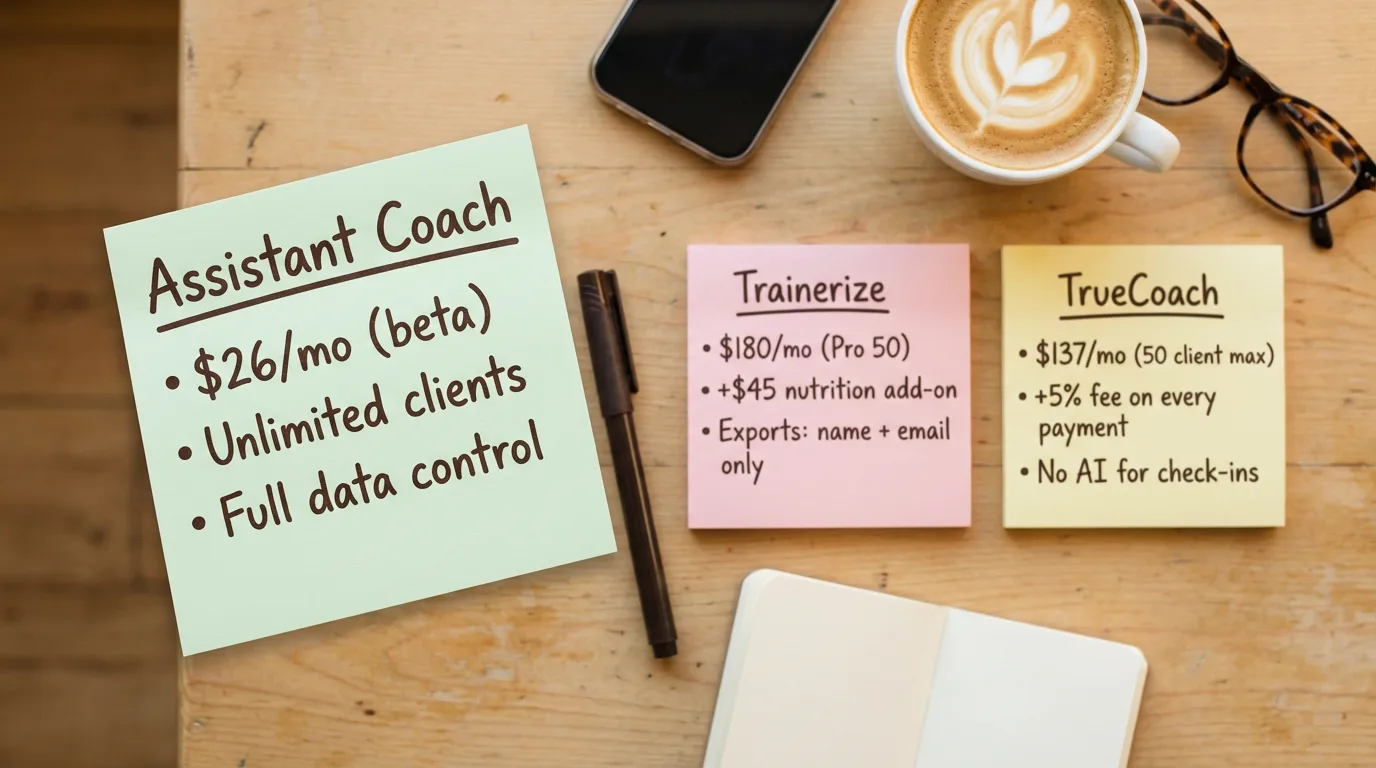 TrueCoach vs Trainerize vs Assistant Coach (2026)
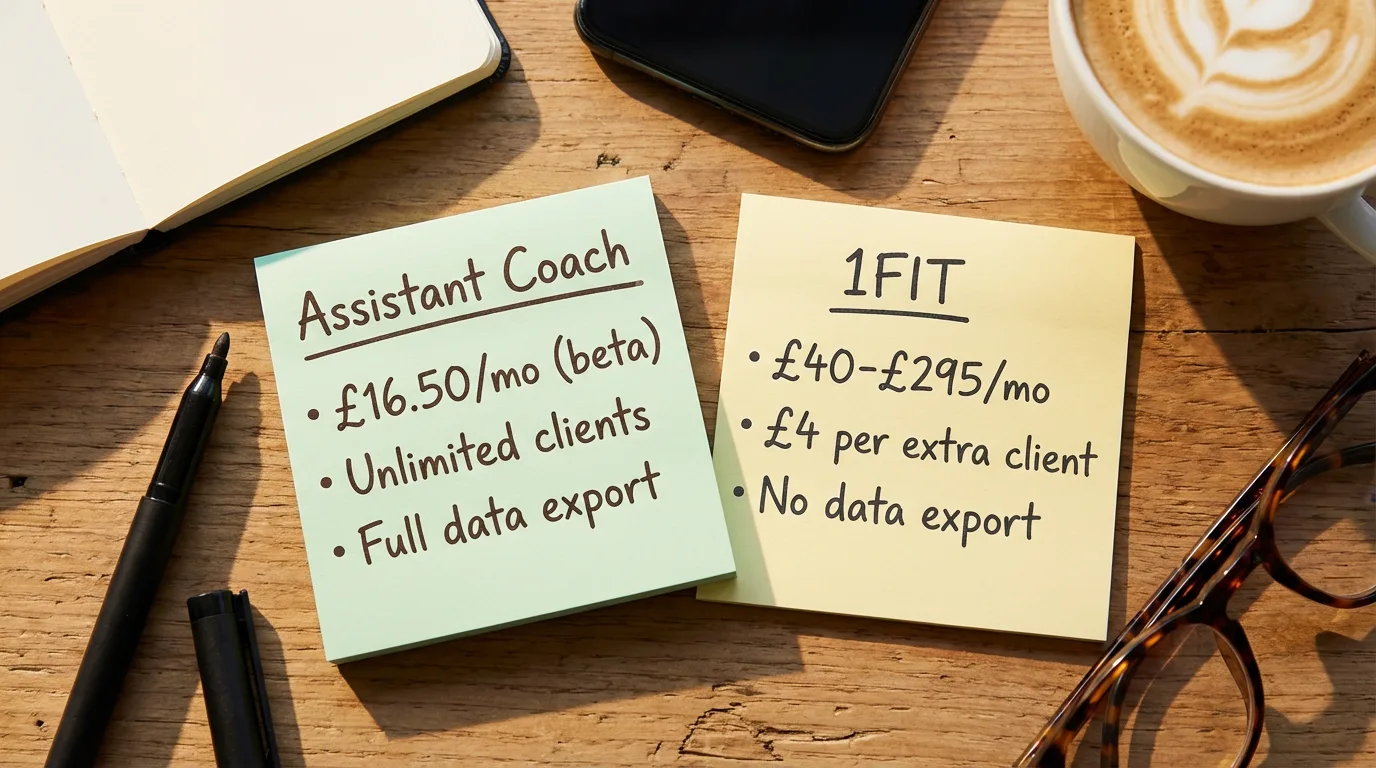 1FIT vs Assistant Coach (2026)