You picked your fitness coaching software two years ago. Since then you have built client profiles, written hundreds of check-in responses, designed workout plans and meal plans, tracked goals, uploaded progress photos, and logged notes on every interaction. That data is your business.
Then one morning, some of it is gone. The company sent an email. They are working on it. Backups are being restored. They will send an update soon.
If that scenario sounds familiar, you have probably seen the recent conversation in the personal training community about a major incident at one of the most popular free coaching platforms. The good news is that there is a clear, non-technical way for any fitness coach or personal trainer to evaluate whether their coaching software actually protects their client data, before something goes wrong.
Safe fitness coaching software is software that stores your client data in a way you can trust, lets you download a copy of it whenever you want, recovers cleanly if something goes wrong, and tells you the truth about how it works. You do not need a technical background to check any of these things. You just need the right questions to ask.
Here is what this guide breaks down:
- Why coaching software safety matters more than features, especially as the industry consolidates and platforms come and go
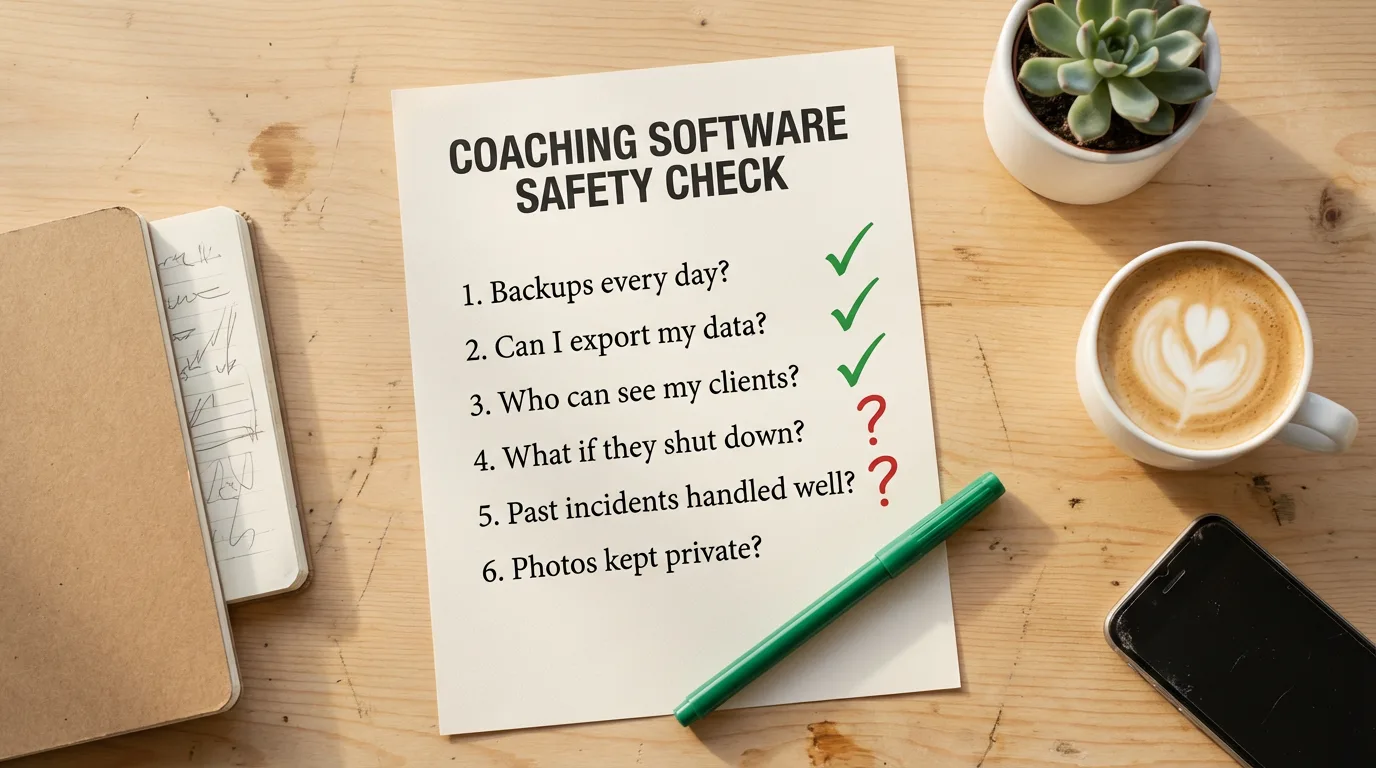
- Eight non-technical questions every personal trainer should ask any coaching platform before trusting it with client data
- A comparison of how popular platforms handle each question, including the platforms most coaches are actively evaluating right now
- Free alternatives worth considering if you are looking to switch off a platform that lost your trust
- A practical playbook for what to do if your coaching software has an incident and your data is affected
Why Fitness Coaching Software Safety Matters More Than Features
Coaches choose software on features. Workout builder, meal planner, AI analysis, client app. Almost no one compares platforms on data safety. There is no checkbox row for it. And it never matters until it suddenly does, at which point it is the only thing that matters.
The recent FitPros incident is a useful reminder. On April 16, 2026, several of the platform’s live servers went down and a significant amount of coach data was affected. The founder communicated openly and started rebuilding from backups, which is the responsible way to handle an incident.
But it raises a question for every fitness coach using any platform: would you know what to ask? The questions are not technical.
8 Non-Technical Questions Every Personal Trainer Should Ask
Print this list. Email it to your coaching software’s support team. Save the answers. If a platform cannot answer these clearly, that tells you where data safety sits on their priority list.
1. How often is my data backed up, and where are the backups stored?
A backup is a separate copy of your data kept somewhere safe. Backups should run automatically every day at least, and they should be stored in a different place than the main system. If both your data and your backups live on the same server and that server fails, the backups go too.
2. Can I download all my data, anytime, without asking?
If you have to email support to get a copy of your own client data, that is not data export. Real export is a button in Settings that downloads everything in standard formats like CSV (which opens in any spreadsheet) or JSON. Years of check-in history, workout plans, and coaching notes are worth more than any subscription. We covered this in detail in our data export audit of 10 coaching platforms.
3. Who at your company can see my client data, and why?
Some people at any coaching software company can technically access your data. They have to, to fix bugs and run support. The question is who, and under what circumstances. A good company limits access to those specific needs and explicitly does not sell, share, or use your data for marketing or AI training. If a privacy policy says they can use your data “to improve our services” with no further detail, ask what that means.
4. Where is my data stored, and is it encrypted?
You need the platform to confirm that your data is held by a reputable hosting company and that it is encrypted both when it is sitting in storage and when it is moving between your browser and their servers. Encryption in transit is the little padlock in your browser address bar. Encryption at rest means even if someone got physical access to the storage, the data would be unreadable.
5. What happens to my data if you go out of business or get acquired?
Coaching software companies merge, get acquired, and shut down. Look at the last few years: TrueCoach was acquired by Xplor Technologies in 2020, MyPTHub moved from EverCommerce to Jonas Software in 2024, QuickCoach shut down in late 2025, and Playlist merged with EGYM in early 2026. The right answer is not “we will never go out of business.” It is “you can export your workspace data anytime, so even if we did, you would still have your data.”
6. Have you had any security incidents, and how did you handle them?
Every company long enough in business has had incidents. The dangerous answer is “no, we have never had any issues” - that usually means they are too new to have had one, or they are not telling you. The healthy answer is honest: what happened, how they communicated, and what they changed afterward. Past response is the best predictor of future response.
7. Does the platform talk to its database through a secure server, or does the app on my client’s phone connect directly?
Two ways coaching software can be built. The safer way: the app on your client’s phone talks to a secure server, and the server talks to the database, checking every request to make sure each person only sees their own data. The faster-but-riskier way: the app connects to the database directly - if the rules are misconfigured, anyone who knows where to look can see data they should not. You do not need to verify this yourself. Ask the company. A platform built the safer way will say so.
8. Can I revoke access from any tool I have connected to the platform?
If you have connected any third-party tool (ChatGPT, Claude, a payment processor, a calendar) to your coaching platform, you should be able to disconnect it instantly from a settings page, with access cut off immediately. Connections you cannot turn off are not safe.
How Popular Fitness Coaching Platforms Handle Each Safety Question
We checked the public privacy and security documentation for the platforms most personal trainers and online fitness coaches are evaluating in 2026. Here is what we found.
| Safety Question | Assistant Coach | FitPros | Trainerize | TrueCoach | Everfit |
|---|---|---|---|---|---|
| Public security policy | Yes | Unclear | Yes | Yes | Yes |
| Backups stored separately | Yes | Unclear | Unclear | Unclear | Unclear |
| Full self-serve data export | Yes | Unclear | No | Limited | Limited |
| Encryption in transit and at rest | Yes | Unclear | Partial | Unclear | Partial |
| Server-mediated database access | Yes | No | Yes | Yes | Yes |
| Open incident communication | Yes | Yes (recent) | Unclear | Unclear | Unclear |
If a platform scores Unclear in your priority area, email support and ask. The willingness to answer honestly is itself a useful signal.
Free Alternatives to Look At, After FitPros and QuickCoach
Many coaches landed on FitPros after QuickCoach shut down in late 2025. If you are again looking for a free coaching platform that takes data seriously, here are the options worth a look in 2026.
| Platform | Free Tier | Data Export | Notes |
|---|---|---|---|
| Assistant Coach | 5 clients, every feature | Yes, all data | Free forever, locked-in paid pricing for early signups |
| Everfit | 5 clients | Limited | Meal plans and check-ins behind paid tiers |
| FirstRep | 3 clients | Unclear | Newer platform, smaller team |
For a shorter roundup focused specifically on switching after the FitPros incident, see our FitPros alternatives post. For a deeper feature-by-feature comparison of every free tier, see our scored review of free fitness coaching software and the side-by-side breakdown of TrueCoach, Trainerize, and Assistant Coach.
How Assistant Coach Handles Each Safety Question
Assistant Coach is in public beta and smaller than the established names. Here is how we answer each of the eight questions in plain English.
Backups. Your data is backed up multiple times a day. The backups are encrypted and stored in a separate cloud storage service in a different location than our main database. We have tested the restore process. See our security overview for detail.
Data export. Every coach can download a complete copy of their data from Settings, on every plan including the free tier - client profiles, check-ins with body measurements, workout plans, meal plans, goals, coach notes, and to-dos, in standard formats you can open in a spreadsheet.
Who can see your data. Each coach’s data is fully isolated from other coaches. Each client only sees their own data through the client app. Our team only accesses coaching data when investigating an issue or when you ask for support. We do not sell your data and do not use it to train AI models.
Storage and architecture. Your data lives in a managed database reachable only by our application servers, encrypted in transit and at rest. The client’s app never connects to the database directly - it sends requests to our server, which checks authorization before returning data. This is the safer of the two patterns above.
Where we are still building. We do not yet offer two-factor authentication for coach accounts (on the roadmap) or a SOC 2 audit. We are early, and documenting what we do on our public privacy and security pages.
What to Do If Your Coaching Software Has an Incident
If you are reading this because your coaching software has lost data or had an incident, here is a calm, practical playbook.
Right now: Take screenshots of every page that still shows data - client lists, profiles, workout plans, meal plans, recent check-ins. You want a visual record even if the platform later loses more data or you lose access. Email support in writing and ask what was affected, what is being recovered, and when you will get a full update.
This week: Check your own records for what you can rebuild from - exported files, emailed plans, WhatsApp photos, camera-roll screenshots. Set up a backup process for the data you still have, even if you plan to stay. Download whatever the platform allows you to export, and keep that file safe.
Once the dust settles: Decide whether to stay or move. The deciding factor is rarely the incident itself (every platform will eventually have one). It is how the platform communicated, what changed afterward, and whether you trust them with the next twelve months of your client data.
Frequently Asked Questions
What questions should fitness coaches ask coaching software about data safety?
Ask how often your data is backed up, whether backups are stored somewhere separate from the main system, whether you can download all your data anytime, who at the company can see your client information, what happens to your data if the company shuts down, and whether the company has a written security policy. The eight-question checklist above covers each in detail. If a platform cannot answer these clearly, that tells you where data safety sits on their priority list.
What happened to FitPros in April 2026?
On April 16, 2026, FitPros (the free coaching platform at fitpros.io) experienced a major incident. The founder posted a public update on the r/FitPros subreddit explaining that several of FitPros’ live servers went down and a significant amount of coach data was affected, including program libraries, forms, exercises, client links, and program history. He committed to rebuilding from backups and sharing more details about what caused the incident.
What is the best free FitPros alternative for personal trainers?
It depends on what you need. Assistant Coach offers a permanent free plan with 5 clients and no credit card, and nothing is gated: workout plans, meal plans, client meal-photo logging with AI macro estimates, check-ins, AI features, goals, forms, a client app, and full data export. Everfit’s free tier charges separately for meal plans and check-ins. FirstRep offers 3 free clients with most features. Trainerize has a permanent Basic tier capped at 1 client; TrueCoach offers a trial rather than a permanent free plan.
How can I tell if my fitness coaching software is safe?
Look for four signals: a public privacy and security page that explains how data is stored and protected, the ability to download all your data in standard formats anytime, a clear backup policy with backups stored separately from the main system, and a track record of communicating openly when something goes wrong. If any of these are missing, ask the company directly. The willingness to answer honestly is itself a signal.
What should I do if my coaching software loses my client data?
First, do not panic and do not delete anything. Take screenshots of any data you can still see in the platform. Contact support immediately and ask in writing what data was affected and what is being recovered. Check your own records (emails, exported files, screenshots) for anything you can rebuild from. Set up a backup process for your remaining data. Once you have a full picture, decide whether to stay or move to a different platform.
Do free fitness coaching platforms protect client data as well as paid ones?
Free does not automatically mean less safe. The price tag matters less than how the platform is built, who runs it, and how transparent they are about security. Some paid platforms have weak data export and unclear backup policies. Some free platforms have strong infrastructure and open documentation. The questions to ask are the same regardless of price.
Why is data export important for fitness coaches?
Data export is the difference between renting your business and owning it. Without it, you cannot back up your work, cannot move to another platform without manually rebuilding everything, and have no copy if something happens to the company. Years of check-ins, workout history, and coaching notes can disappear in a single incident. Look for platforms that let you download client profiles, check-ins, plans, photos, and notes in standard formats on every plan.
Next Steps
Your client data is the foundation of your coaching business. Every check-in response, every program, every note represents a relationship you have built and time you have invested. It deserves the same care you give your clients.
If you are evaluating a new platform or deciding whether to stay with your current one, run through the eight questions above. Save the answers. Trust the platforms that answer clearly and honestly, even when the answer includes what they are still working on.
Want a coaching platform built with your data first? Try Assistant Coach free. Five clients on the free plan with every feature included, free forever, full data export on every plan, and a public security page that says exactly how your data is handled.
References
- Assistant Coach. (2026). Security overview. help.assistantcoach.fit
- Assistant Coach. (2026). Privacy overview. help.assistantcoach.fit
- Assistant Coach. (2026). Data export. help.assistantcoach.fit
- TrueCoach. (2026). How to Export Clients. help.truecoach.co
- ABC Trainerize. (2026). What Information Can Be Exported. help.trainerize.com
- Everfit. (2026). How to Export or Print Workouts as PDFs. help.everfit.io
- TrueCoach. About TrueCoach: Powered by Xplor Technologies. truecoach.co
- Goodman, J. (2025). I just lost $1.4 Million (Why QuickCoach was shut down). The PTDC. theptdc.com
- SammyFitPros. (2026, April 16). An update on the serious FitPros.io incident today. r/FitPros. reddit.com
- EverCommerce. (2024). EverCommerce Announces Divestiture of its Fitness Solutions to Jonas Software. GlobeNewsWire. globenewswire.com
- EUR-Lex. GDPR Article 20: Right to Data Portability. eur-lex.europa.eu
- European Commission. EU Data Act. digital-strategy.ec.europa.eu
Related Posts
 Data Export in Fitness Coaching Software: A 10-Platform Audit
An audit of which coaching platforms let you actually take your client data with you.
Data Export in Fitness Coaching Software: A 10-Platform Audit
An audit of which coaching platforms let you actually take your client data with you.
 Best Free Software for Personal Trainers and Fitness Coaches in 2026
Every free tier in fitness coaching software, scored across 11 features for personal trainers.
Best Free Software for Personal Trainers and Fitness Coaches in 2026
Every free tier in fitness coaching software, scored across 11 features for personal trainers.